
Turn phones sitting in drawers into useful cameras for rooms, counters, deliveries, pets, or temporary coverage.
Made for real homes and small businesses
Use your spare phone as a security camera in minutes.
Keep an eye on your home, baby, pets, loved ones, shop, or temporary site using Android phones you already own. Watch live, record important moments, take screenshots, and share a live view with people you trust.
3 to 7 phones
Start with one room and grow to a family or business setup.
Watch nearby or away
Use local viewing at home or remote viewing when you are away.
Capture and share
Screenshots, recording, motion alerts, and live sharing are included.
CaIoT Camera Viewer
Monitor
Stream
Phones
Events
Back camera
Front camera
Connection
Wi-Fi live
Capture
Recording ready
Sharing
Secure session link
Switch between phones, save screenshots, record short sessions, and share access only when needed.
Place a phone where life happens: nursery, pet area, front desk, stock room, garage, or renovation site.
How it works
From spare phone to live camera in four simple steps.
Download the viewer, connect your Android phones, choose a plan, and start watching the spaces that matter.
1
Download the viewer
Install the desktop viewer on Windows, macOS, or Linux and sign in to your CaIoT account.
2
Connect your phones
Add spare Android phones using USB, home Wi-Fi, or remote access when you need to watch from outside.
3
Watch and save moments
Watch live video, capture screenshots, record short sessions, and get motion alerts when something changes.
4
Share with trusted people
Share a live view with family, caregivers, or staff without giving them your whole account.
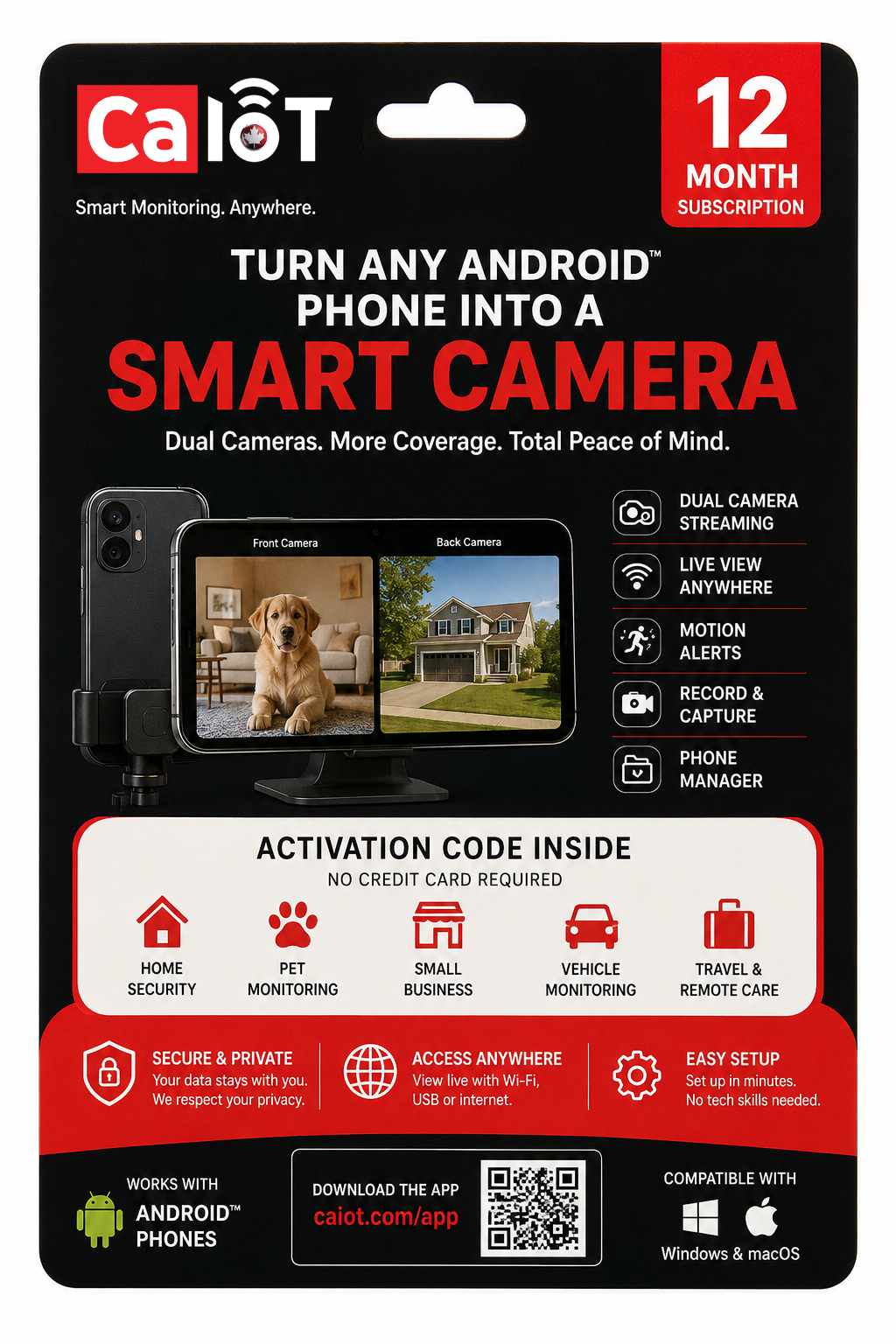
Retail activation
Buy a pass. Sign up. Activate. Start monitoring.
Pick up a CaIoT Smart Camera Pass from a participating store, enter the activation code, connect your phones, and start viewing from the CaIoT Camera Viewer.
Buy online or activate with a retail pass
Simple activation code for quick setup
Local viewing at home, remote viewing while away
Designed for everyday security needs
Features
Everything you need to feel more secure using phones you already own.
Live viewing
See your camera phones from one clean viewer, whether you are checking a room, a counter, or a doorway.
Always-on overviewLocal USB and Wi-Fi viewing
Watch nearby without using your monthly remote viewing hours.
Fast on-site accessRemote viewing
Check your space when you are away from home, work, or the same Wi-Fi network.
Away-from-home checksScreenshots and video recording
Save a screenshot or record a short clip when something important happens.
Save key momentsMotion alerts
Get notified when the camera notices movement, so you do not need to watch all day.
Stay informed fasterLive session sharing
Share a temporary live view with a trusted person when they need to check in.
Invite trusted helpUse cases
One camera app for everyday peace of mind.
Use CaIoT Camera wherever a spare phone can give you useful visibility.
Home security
Cover entrances, garages, hallways, deliveries, and temporary blind spots with phones already in your drawer.
Explore home securityBaby monitoring
Set up a calmer nursery view for naps, bedtime, travel, or nights at a grandparent's home.
Explore baby monitoringPet camera
Check in on pets, feeding zones, and crate areas while you are at work or out for the day.
Explore pet monitoringElderly care
Support loved ones with respectful visibility in shared spaces and the ability to involve trusted family.
Explore care supportSmall business
Watch front counters, offices, kiosks, stock rooms, and pop-up operations without buying new camera fleets.
Explore small business useTemporary sites
Deploy short-term visibility for renovations, storage, event spaces, and active project zones.
Explore temporary coveragePricing
Choose the plan on the website, then activate it in the Camera App.
Use the same Google account across the website, Viewer, and Camera App so your subscription stays connected from purchase to setup.
Monthly
Starter
For apartments, single-room monitoring, or first-time use
$5 / month
$54 billed yearly
- Up to 3 Android phones
- Unlimited USB viewing
- Unlimited home Wi-Fi viewing
- 1 hour of remote viewing each month
- Screenshots, recording, motion alerts, live sharing
Most popular
Plus
For families, multi-room homes, and small shops
$10 / month
$108 billed yearly
- Up to 5 Android phones
- Unlimited USB viewing
- Unlimited home Wi-Fi viewing
- 20 hours of remote viewing each month
- Screenshots, recording, motion alerts, live sharing
Pro
For businesses, care setups, and heavier coverage
$25 / month
$270 billed yearly
- Up to 7 Android phones
- Unlimited USB viewing
- Unlimited home Wi-Fi viewing
- Unlimited remote viewing
- Screenshots, recording, motion alerts, live sharing
Account-first flow
Sign in once, choose your plan, and keep your subscription connected across every CaIoT app.
Use the same Google account everywhere so your billing details, subscription history, and activation stay connected from the website to the Camera App and Viewer.
Account flow
Make the path to activation feel trustworthy and obvious.
You should know which account owns your subscription, how your apps stay connected, and what to do next before you ever place a phone on a shelf or wall.
1
Use one Google account
Sign in with the same Google account on the website, Viewer, and Camera App so your subscription stays tied to one clear account.
2
Choose and pay for a plan
Pick Starter, Plus, or Pro on the website before device setup begins.
3
Keep activation connected
Your account dashboard shows your plan, renewal date, and activation details so you can confirm everything is connected before setup.
4
Open the Camera App
Sign in with the same Google account in the Android Camera App so your purchased subscription can be recognized automatically. Use the activation code only if needed.
Savings calculator
See how much camera hardware, installation, and waiting time you can avoid.
Enter how many camera views you want. This estimate compares a typical new-camera setup with reusing phones you already own, including installation labor, monthly fees, and time to get running.
Download
Download the viewer and start connecting your phones.
Install the CaIoT Camera Viewer on your computer, then sign in with the same Google account that holds your plan and subscription access.

Windows viewer
Install on a Windows PC and start building a live monitoring desk right away.
Download .exe
macOS viewer
Use the same monitoring workflow on macOS with screenshots, recording, and switching between feeds.
Download .dmg
Linux viewer
Run the desktop viewer on Linux for more flexible workstation and lab-style setups.
Download AppImageMobile apps
Keep your camera app and viewer easy to find.
Use the Android Camera App to turn a phone into a camera. Use the Viewer to watch live video, manage devices, capture screenshots, record clips, and share access.
App store links can be connected when the public listings are available.
Available on mobile
Download the camera app and companion viewer
Choose the store that matches your device and keep both apps easy to find in one clean place.

Android phone as live camera
Mobile access for alerts and viewing
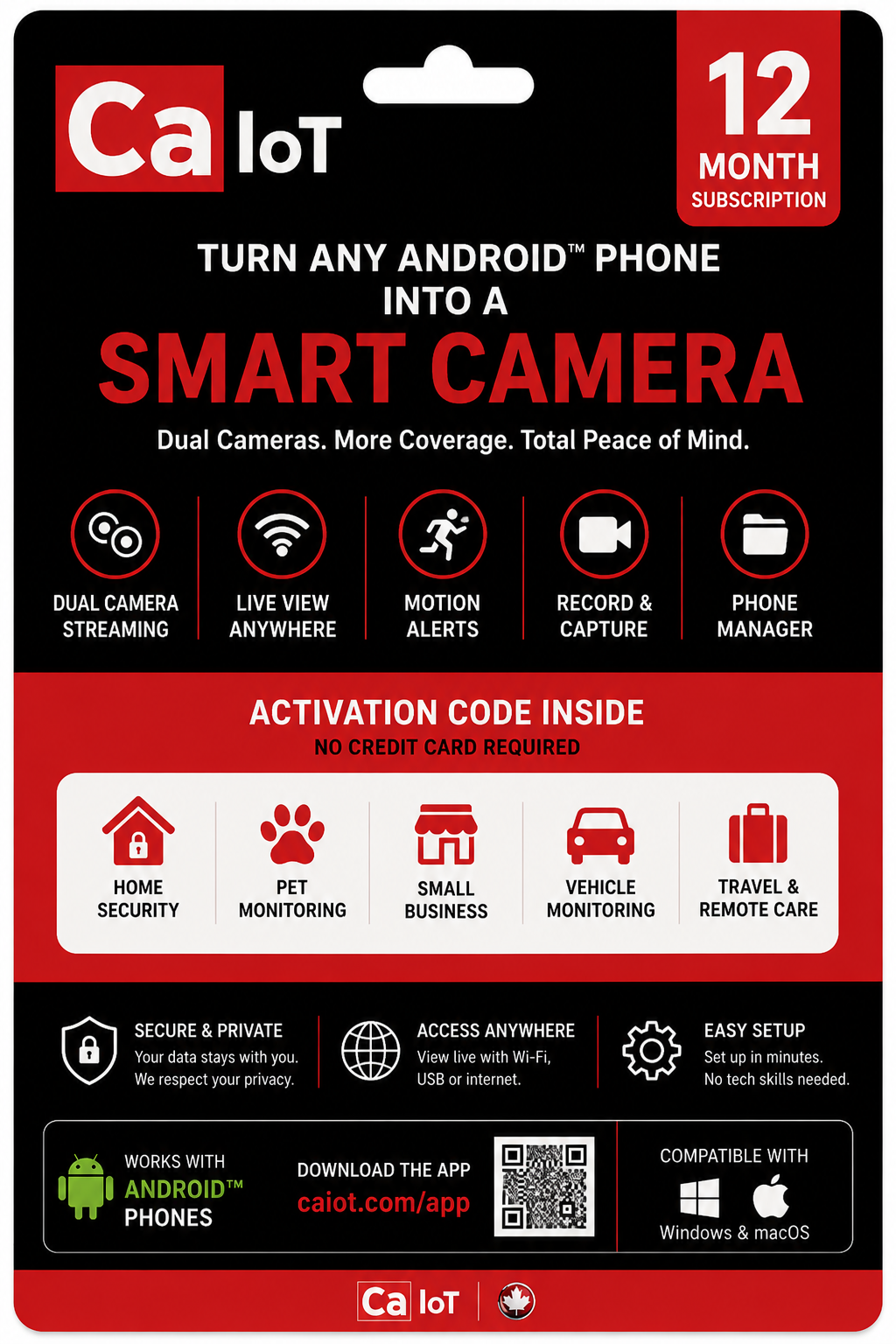
Retail pass
Look for CaIoT Smart Camera Pass in retail stores.
Use a retail pass to unlock your plan and keep the activation details tied to your account for easy access later.
Designed for supermarket and electronics aisles
Simple code redemption tied to your account
Easy to understand before checkout and easy to retrieve later
FAQ
Questions people ask before they trust a camera setup.
Quick answers about setup, remote viewing, recording, and whether you need extra hardware to get started.
What counts as remote viewing?
Only viewing away from your local network uses remote viewing hours. Local USB and home Wi-Fi monitoring remain included in every plan.
Can I record and capture screenshots?
Yes. The viewer is designed for live watching, screenshot capture, and short recording sessions across all plans.
Do I need to buy new cameras?
No. CaIoT Camera is built around turning spare Android phones into useful security cameras.
Do I need a retail pass to get started?
No. You can sign in on the website, choose a plan, and keep it connected to your Google account. A retail pass is another way to fund or redeem a plan.
Where should I find my activation code after I pay?
You can find it in your account dashboard alongside your plan, billing status, and renewal date. In many cases, signing in with the same Google account can keep activation connected automatically.